Etsy Listing Launch Checklist: First 72 Hours
What to do in the first 72 hours after publishing your Etsy wall art listing to maximize early visibility and conversion rate.
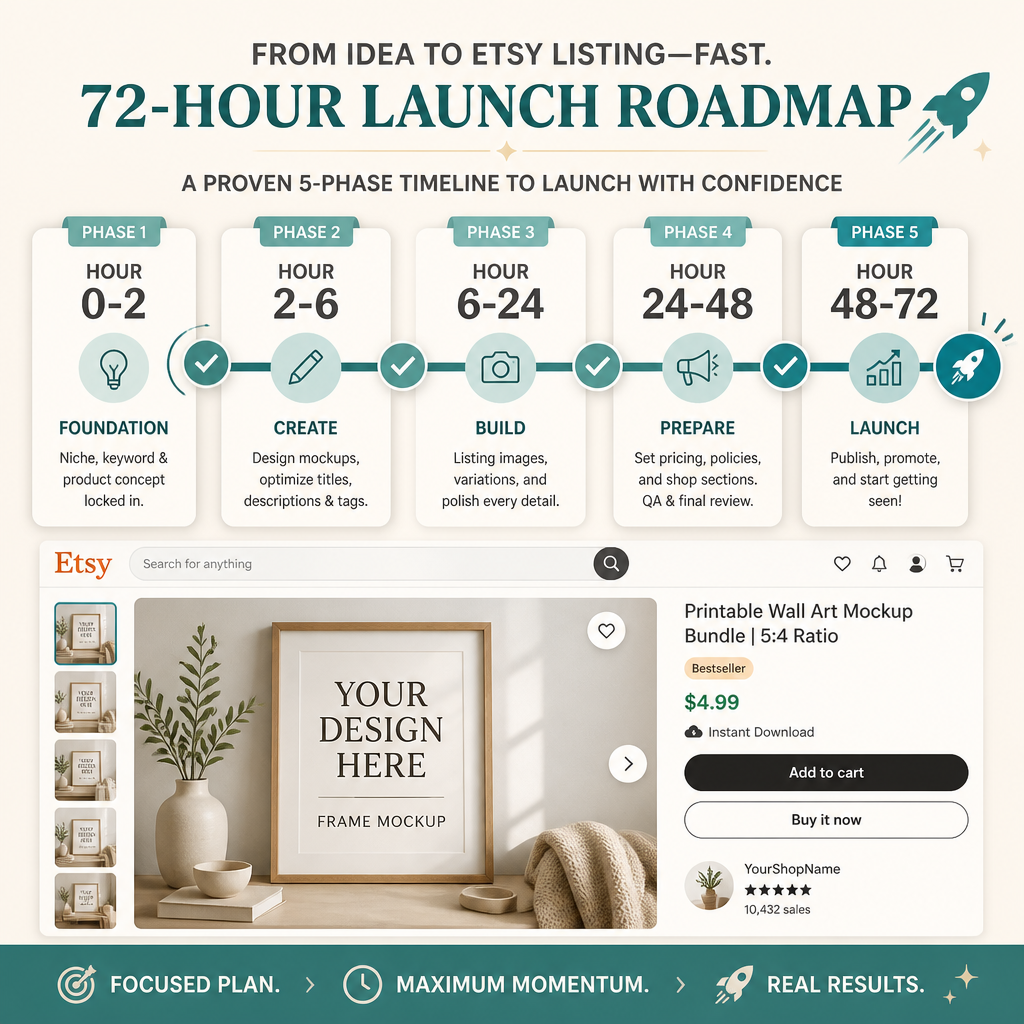
The first 72 hours after publishing an Etsy listing are critical. Etsy’s algorithm watches early performance to decide how aggressively to surface your listing. Do this.
Hour 0–2: Post-Publish Verification (5 checks)
Immediately after publishing, verify everything displays correctly.
- Listing appears in your shop: Navigate to your shop; listing shows without delay
- Title displays correctly: No weird characters, no truncation, keywords visible
- All mockups loaded: Images aren’t broken, all 4+ mockups are visible
- Tags display in listing: Scroll down; all 13 tags are visible and properly formatted
- ZIP file attachment shows: Digital product section shows your download file, no errors
Why this matters: A broken listing gets buried by Etsy’s algorithm immediately. Fix visible issues within 2 hours.
Hour 2–6: Social Proof Setup (4 checks)
Tell people (even if it’s a small audience) that your listing is live.
- Share in niche Discord/Facebook groups: Wall art groups, Etsy seller communities (check rules for self-promo first)
- Email your list (if you have one): “New: [Design Name] is live on Etsy”
- Share on Pinterest: Create a pin linking to your listing (drives 15-25% of Etsy traffic)
- Share on Instagram: Story + reel, use Linktree or link in bio
Why this matters: First week sales velocity signals ranking potential to Etsy. Even 5 early sales in the first 48 hours improve your algorithmic position.
Hour 6–24: Monitor & Optimize (6 checks)
Watch performance metrics and make tactical adjustments.
- Check Etsy Stats: Views, favorites, conversion rate (refresh every 4-6 hours)
- Monitor search position: Search your primary keyword on Etsy; note your listing position (bookmark it)
- Read first reviews/messages: If you get questions, respond immediately (Etsy factors in response time)
- Check thumbnail appearance: View your listing on mobile; does the thumbnail stand out vs. competitors?
- Verify price is competitive: Search your keyword; compare prices with top 5 listings
- Check if listing shows in category/collections: Navigate category (e.g., Wall Art > Bedroom); you should appear within first few pages if indexed
Why this matters: The first 24 hours show Etsy if your listing has traction. If conversion rate is 0%, Etsy limits impressions. If it’s 3%+, Etsy shows it more.
Hour 24–48: Tag & Keyword Adjustment (4 checks)
Based on actual search performance, fine-tune tags.
- Check Etsy Stats for search terms: See what keywords buyers actually searched to find you (often surprising)
- Update tags based on real search data: Replace underperforming tags with actual buyer searches
- A/B test description language: If views are high but conversions are low, rewrite first paragraph (more specific use case)
- Adjust price if needed: If conversion rate is above 5%, you can raise price 10–15%; if under 1%, lower by 5–10%
Why it matters: Etsy gives you real data. Use it to refine before the first week ends.
Hour 48–72: Content & Listing Health (5 checks)
Final optimization pass before algorithm settling in.
- Add 4th or 5th mockup if conversion rate is low: More mockups = higher conversion; worth re-editing if needed
- Rewrite title if you’re not ranking for your keyword: Sometimes a title tweak surfaces you immediately
- Check for duplicate listings: Make sure you didn’t accidentally publish the same design twice
- Respond to any messages/questions: Fast response time is an Etsy ranking factor
- Pin this listing to shop front: In shop settings, feature this listing on your main shop page
Why this matters: This is your last micro-adjustment window before Etsy’s algorithm fully “learns” your listing.
Week 1 Checklist: Daily Habits (ongoing)
Continue these for 7-14 days.
- Check views/sales daily: Track momentum; watch for patterns (time of day, day of week)
- Respond to messages within 2 hours: Etsy’s algorithm favors responsive sellers
- Don’t change price daily: Constant changes confuse the algorithm; set price and leave it 1-2 weeks
- Don’t add/remove tags constantly: Etsy needs stability to learn; finalize tags by day 3
- Track first 3 sales: Note dates, times, search terms used; this data informs your next designs
Week 2: Long-Term Positioning (3 checks)
After the first 72 hours + first week, these actions compound over time.
- Create variations of this design: If design converts, create 2-3 color/style variations quickly (while momentum is high)
- Link related listings: Use “Related Items” feature to cross-promote other listings
- Plan next 3 designs in this niche: Ride the wave while algorithm is favorable
Why this matters: If listing A converts well, launch listings B + C in the same niche within 2-4 weeks while Etsy is favorably reviewing your shop category.
Performance Benchmarks
After 72 hours, “healthy” looks like this:
| Metric | Target | Red Flag |
|---|---|---|
| Views (first 24 hours) | 5–15 | under 2 (listing not surfaced) |
| Conversion Rate (first week) | 1–3% | under 0.5% (design or price issue) |
| Favorites (first week) | 2–5 | 0 (weak visual appeal) |
| Messages (first week) | 1–3 | 0 (questions are good signs) |
| Average search position | Page 1–2 | Page 5+ (tag/title mismatch) |
If you’re below red flag territory by day 5, consider:
- Low views: Title/tags don’t match actual buyer searches; update them
- Zero conversions: Mockups or price are weak; add mockup or lower 10%
- Low favorites: Thumbnail is weak; redesign or adjust contrast
Common Launch Mistakes to Avoid
❌ Changing tags every day: Confuses Etsy’s algorithm; finalize by day 3
❌ Lowering price drastically after 48 hours: Etsy doesn’t forget; price signaling matters
❌ Publishing multiple similar listings at once: Dilutes impressions; space launches 3-7 days apart
❌ Ignoring first messages: Slow response time tanks your ranking; aim for under 2 hour response
❌ Redesigning immediately: Give it 7-14 days; the algorithm needs time to learn
Launch Checklist Summary
Before Publishing:
- Design Checklist (32/32) ✓
First 72 Hours:
- Hour 0–2: Verification (5/5) ✓
- Hour 2–6: Social Proof (4/4) ✓
- Hour 6–24: Monitor & Optimize (6/6) ✓
- Hour 24–48: Adjust Tags/Price (4/4) ✓
- Hour 48–72: Final Polish (5/5) ✓
Week 1–2:
- Daily habits (5 checks) ✓
- Long-term positioning (3 checks) ✓
Next Steps
Once your listing has stable rankings (week 3+), see our Etsy Listing Optimization Guide for long-term ranking improvements and seasonal refresh strategies.
Ready to create more variations? Use Elistit to batch-generate color and style variants of your best design in minutes.
Get the 72-hour launch checklist as a one-page PDF.
Print it, tick the boxes, keep it by your desk. Drop your email and the PDF is yours instantly, no newsletter, no drip.
Just the PDF. One email when Elistit opens to new sellers, then nothing.
Quick questions
Quickly answered.
Q.01What should I do immediately after publishing a new Etsy listing?
In the first 2 hours: verify the listing is live and searchable, confirm the download link works, check that your thumbnail renders correctly in search, and share the listing on at least one social channel to seed early traffic.
Q.02How do I get my first Etsy listing views after publishing?
Share on Pinterest (long-format vertical pin converts well), post to any relevant Facebook groups, and add to your Instagram story with a link sticker. Early external traffic signals help Etsy rank new listings faster.
Q.03How long does a new Etsy listing take to appear in search results?
Most listings appear in search within 24 to 48 hours of publishing. Ranking position builds over 4 to 6 weeks as Etsy collects click, favorite, and purchase data to determine relevance.
Q.04What metrics should I watch in the first 72 hours of an Etsy listing?
Track impressions (listing is being shown), visits (people are clicking), and conversion rate (visits that result in purchases). Low impressions = SEO issue. High impressions but low visits = weak thumbnail.
Q.05When should I edit my Etsy listing after publishing?
Wait at least 48 hours before making changes, as early edits reset some algorithm signals. If impressions are strong but conversion is low after 72 hours, update your thumbnail or add a mockup before touching title or tags.
Keep going.
Design Checklist: Before Selling Wall Art on Etsy
Complete pre-listing quality checklist for wall art sellers. Ensure your designs convert with this visual design, technical, mockup, and listing checklist.
Pre-Listing SEO Checklist: Title, Tags, Description (2026)
The 25-point SEO checklist every Etsy seller should run before publishing. Optimize title, tags, description, and keywords for maximum visibility.
300 DPI for Etsy: Why It Matters and How Elistit Handles It
Every Elistit output is 300 DPI. Why that resolution matters for Etsy printable sellers, and what happens when files fall short.
AI Art on Etsy: Understanding Policies and Best Practices
Etsy's AI art policy in plain English: disclosure rules, quality expectations, and how to ship compliant listings without losing your artistic voice.