Etsy Shop Setup Checklist 2026: Everything Before Your First Listing
The complete Etsy shop setup checklist for digital sellers: 30 steps across account, branding, policies, technical setup and workflow before you publish.
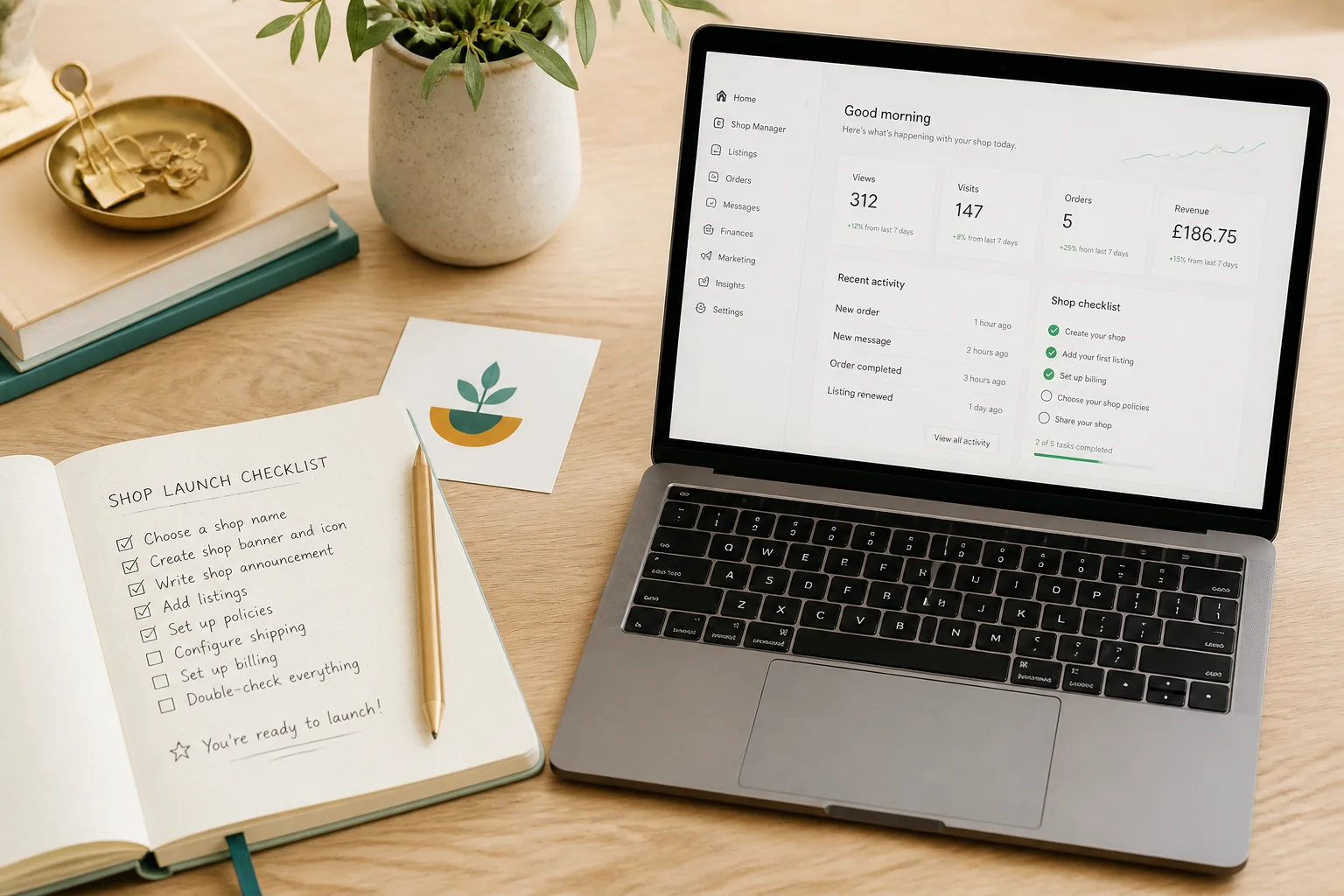
Most new Etsy shops lose their first sale before it ever had a chance. The cause is rarely the product; it’s a missing refund policy, a blurry icon, no banner, or a shop name that’s already trademarked. Any one of those kills trust before a buyer clicks Add to Cart. This checklist covers everything that needs to be in place before you publish your first listing for digital products: wall art, clipart, posters, greeting cards, SVGs, or any downloadable file.
Work through this once, front-to-back. Then bookmark it. You’ll refer back to specific sections every time you open a second shop or onboard a new product type.
Section 1: Etsy Account Foundations
1. Verify your email address
Etsy won’t let you publish listings until your email is confirmed. Check your inbox immediately after sign-up and complete verification. Use an email address you check regularly; Etsy sends order notifications, policy alerts, and review requests to this address.
2. Enable two-factor authentication
Go to Account Settings → Security → Two-Factor Authentication. Use an authenticator app (Google Authenticator, Authy), not SMS if you can avoid it. A compromised Etsy account can have its payout details changed before you notice; 2FA is your first line of defense.
3. Choose your shop name strategically
Your shop name needs to do three things: be searchable, be brandable, and be available. Avoid generic names like “DigitalPrintsShop”; they’re already taken in some variation and carry no differentiation. Check that the name is available on Etsy, available as a domain (even if you don’t buy it yet), and doesn’t collide with a registered trademark. You can check the USPTO database at no cost. You get one free name change after opening, so use your best idea first.
4. Set up payment method and billing
Etsy Payments requires a bank account in a supported country. Set this up under Finances → Payment Settings before you list anything; Etsy holds your first few payouts pending account verification, and that process takes 3–5 days. Your billing card (for Etsy fees) can be different from your payout account.
5. Confirm shop location and currency
Your shop location affects shipping calculations for physical goods and some tax displays. For digital product sellers this matters less operationally, but set it accurately; Etsy uses it for tax compliance reporting and buyer trust signals. Set your listing currency to your home currency and let Etsy handle conversion for international buyers.
6. Complete seller identity verification if prompted
Etsy requires identity verification in some regions (EU, UK, US in certain cases) under anti-money-laundering and marketplace liability rules. This involves uploading a government ID. It’s mandatory where required; you can’t withdraw earnings until it’s done. Complete it early rather than scrambling when your first sale comes in.
Section 2: Shop Branding
Your shop branding is the first filter buyers use to decide whether your products are worth clicking. A professional icon and banner don’t guarantee a sale, but a missing or blurry one guarantees doubt.
7. Shop icon: 500×500px, clear at thumbnail size
Your icon displays at roughly 75×75px in search results. That means text is unreadable at that size; use a logo mark, monogram, or graphic element that reads clearly at small sizes. PNG with a transparent background is preferred. Do not use your product mockup as your icon.
8. Shop banner: 1200×300px minimum
The banner is your storefront header. Use it to communicate what you sell in one glance: style, product type, color palette. A single clean image with your shop name and a two-word descriptor (“Modern Wall Art” / “Botanical SVGs”) is more effective than a collage. Canva has free Etsy banner templates at the correct dimensions.
9. Shop title: the tagline beneath your shop name
The 55-character field under your shop name is indexed by Etsy’s search. Don’t waste it on your shop name again. Use it to describe what you sell and who it’s for: “Printable Wall Art for Minimalist Homes” or “SVG Cut Files for Cricut + Silhouette”. This line appears in Google search results for your shop too.
10. About section: who you are, what you make, how
Buyers read About sections before purchasing from new shops. Write 150–300 words covering: who you are (briefly), what styles or niches you focus on, how the files are created, and what makes your products worth the price. If you use AI in your production process, mention it here; Etsy requires disclosure, and buyers who find out later feel deceived.
11. Shop announcement
The announcement appears at the top of your shop homepage. Use it for active information: current processing times, new product drops, seasonal sales. Don’t write it once and forget it; a stale announcement that says “Grand Opening Sale!” six months later reads as abandoned. Keep it short, current, and useful.
12. Featured listings: curate your window
Etsy lets you pin up to four featured listings at the top of your shop. Choose your strongest product, your highest-margin item, your most visually appealing listing, and your best-reviewed item (once you have reviews). If you’re starting from zero, choose the four listings that best represent your shop’s range and quality.
Section 3: Policies (Do Not Skip)
Policies protect you legally and set buyer expectations before they purchase. Incomplete or missing policies are one of the most common reasons new shops get hit with disputes and refund demands they can’t defend.
13. Digital download refund policy
Etsy allows a no-refund policy for digital products once the file has been delivered. State this clearly: “Due to the instant-delivery nature of digital downloads, I do not accept returns or exchanges once files have been accessed or downloaded.” Vague policies invite disputes; specific language wins.
14. Delivery method and timing
State exactly how files are delivered and when. For instant downloads: “Files are delivered immediately after payment confirmation via Etsy’s download system.” For made-to-order files: give a realistic turnaround in hours or days. Buyers who don’t know when to expect their file open support tickets.
15. Commercial vs personal use license
Every digital product listing needs a clear license statement, but your shop policies should also state your general approach. Are files for personal use only? Does commercial use require a separate license? What counts as commercial use? Be specific; “personal use only” means different things to different buyers. “You may not resell, redistribute, or sublicense these files in original or modified form” is clearer.
16. AI disclosure policy
As of 2024, Etsy requires sellers to disclose when listings contain AI-generated content. Write a policy statement covering your general use of AI in production. Buyers are increasingly aware and often specifically search for or exclude AI-generated art. Honest disclosure in your policies and individual listings prevents removal notices and account flags.
17. Shop messages auto-reply
Set an auto-reply in Messages so buyers who contact you get an immediate acknowledgement. Include your typical response time. Something like: “Thanks for reaching out, I typically reply within 24 hours on weekdays. For instant download issues, check your Etsy purchases page first, files are delivered there immediately after payment.” This alone eliminates a significant share of “I didn’t get my file” messages.
18. Prohibited content awareness
Before you list, confirm that your files don’t incorporate: fonts with no commercial license, stock images with Etsy-restricted licenses, or third-party IP (characters, logos, slogans). Etsy DMCA takedowns happen fast and can result in account suspension for repeat violations. Audit your source assets before uploading.
19. GDPR/privacy notice for EU buyers
If you sell to EU buyers (and you will, because Etsy is global) you technically need to handle personal data in accordance with GDPR. For most digital sellers this is low-risk, but at minimum, note in your policies that you collect only the information Etsy provides (name, address, email) and use it only to fulfill orders. Etsy handles most of the compliance infrastructure, but the statement matters.
Section 4: Technical Setup
The difference between a shop that scales and one that stalls at 20 listings is usually workflow, not product quality. Get your technical stack connected before your first listing.
20. Set up your Google Drive folder structure
Create a dedicated Drive folder for your Etsy shop. Inside it: /Listings (working files), /Delivered (final customer files), /Mockups (listing images), /Backups (export archives). Elistit delivers completed files directly to your Drive as a backup alongside the Etsy draft; a clean folder structure means you can find any file immediately when a buyer asks for a re-download.
21. Connect Etsy via OAuth in your production tool
In Elistit you are asked to connect your Etsy shop the first time you send a finished piece to Etsy. This OAuth connection authorizes Elistit to create draft listings in your Etsy shop manager on your behalf. You review and publish; Elistit never publishes automatically. You can make pieces before connecting, and send them once the shop is linked.
22. Understand the workspace-per-shop model
If you run or plan to run more than one Etsy shop, Elistit uses a workspace model where one workspace = one Etsy shop. Your Etsy connection, branding settings, brand voice, and visual identity are all scoped to the workspace. Switching workspaces switches everything together. Set up one workspace per shop from the start; retrofitting later is painful.
23. Configure branding settings for your workspace
Inside your Elistit workspace, set your brand voice and visual identity. These settings apply to every listing created in that workspace; PDF product cards, listing copy tone, and visual style all pull from them. Spending 20 minutes here once means every listing that comes out of Elistit is consistently on-brand without extra work per listing. See the detailed 28-item Elistit setup checklist for the full configuration walkthrough.
24. Run a file delivery test before going live
Create one test project end-to-end before publishing anything. Confirm that: the output files land in your Drive /Delivered folder, a draft listing appears in your Etsy shop manager with the correct title and files attached, and the mockup images are present. Fix any gaps in your workflow at this stage, not after your first real order.
25. Test the full draft-to-publish cycle
Open the draft listing Elistit created in your Etsy shop manager. Review the title, description, tags, and files. Make any edits, then publish it as a test listing (you can set it to a high price or add “TEST” to the title temporarily). Confirm the buyer-side experience: click through to the listing as a buyer would, check that the thumbnail images display correctly, and verify the download section shows the correct number of files.
Section 5: First Listings Strategy
The first 30 listings your shop publishes teach Etsy’s algorithm what you sell. They also set buyer expectations for your entire catalog. Don’t rush this stage.
26. Launch with 10–20 listings minimum before promoting
A shop with three listings looks like an experiment. A shop with 15 well-tagged, well-imaged listings looks like a business. Don’t share your shop link on social media, run ads, or do any external promotion until you have at least 10 listings live. Etsy’s algorithm also starts forming topic associations around 20–30 listings; below that, you’re invisible in category browse. Check the Etsy SEO guide for how listing volume affects early ranking.
27. Start with one or two product types
The temptation is to list wall art, stickers, clipart, SVGs, and journal pages all at once. Resist it. Etsy’s algorithm needs a coherent signal about what your shop sells. Pick one or two formats (say, printable wall art and matching digital stickers) and build depth in those before expanding. Read the listing optimization guide once you’re ready to scale.
28. Niche from day one
“Wall art” is not a niche. “Minimalist botanical line art for neutral home decor” is a niche. The more specific your shop’s focus, the faster Etsy connects you with buyers who are looking for your style. You can expand later, but a niche shop at 30 listings outperforms a broad shop at 100 listings in early Etsy search. Review the print-ready specs guide to ensure your first files meet the technical standard for your chosen product type.
29. Set a pricing anchor, not individual prices
Decide on your price range before you start listing (say, $3–$8 for single prints, $12–$18 for bundles). Price consistently across your catalog so buyers understand the value structure. Wildly varying prices (one listing at $1.50, the next at $25) signal inconsistency and make comparison shopping confusing. You can adjust prices later based on what sells.
30. Tag and title strategy for new shops
New shops have no review history and no sales data. Etsy won’t rank you for competitive head terms like “wall art prints” immediately. Focus your first tags and titles on mid-length, specific phrases: “minimalist line art printable”, “botanical wall art digital download”, “neutral nursery art print”. See the Etsy SEO guide for the full tagging approach. Resources for new sellers cover the first-30-days ranking strategy in more detail.
Quick-Reference Checklist
Use this table to track your progress. Each item maps to the sections above.
| # | Item | Where to Do It |
|---|---|---|
| 1 | Verify email address | Etsy → Account Settings → Email |
| 2 | Enable two-factor authentication | Etsy → Account Settings → Security |
| 3 | Choose and confirm shop name | Etsy shop creation flow |
| 4 | Set up payment method and payout bank account | Etsy → Finances → Payment Settings |
| 5 | Confirm shop location and currency | Etsy → Settings → Shop Settings |
| 6 | Complete seller identity verification if required | Etsy → Finances → Billing |
| 7 | Upload shop icon (500×500px) | Etsy → Settings → Info & Appearance |
| 8 | Upload shop banner (1200×300px min) | Etsy → Settings → Info & Appearance |
| 9 | Write shop title (55 chars, keyword-led) | Etsy → Settings → Info & Appearance |
| 10 | Write About section (150–300 words) | Etsy → Settings → About Your Shop |
| 11 | Write shop announcement | Etsy → Settings → Info & Appearance |
| 12 | Set featured listings (4 max) | Etsy → Listings → Feature |
| 13 | Set digital download refund policy | Etsy → Settings → Policies |
| 14 | State delivery method and timing | Etsy → Settings → Policies |
| 15 | Write commercial vs personal use license | Etsy → Settings → Policies |
| 16 | Add AI disclosure statement | Etsy → Settings → Policies |
| 17 | Set messages auto-reply | Etsy → Messages → Auto-Reply |
| 18 | Audit source assets for prohibited content | Your file library |
| 19 | Add GDPR/privacy notice for EU buyers | Etsy → Settings → Policies |
| 20 | Create Google Drive folder structure | Google Drive |
| 21 | Connect Etsy OAuth in production tool | Elistit, when you send your first piece |
| 22 | Set up one workspace per shop | Elistit → Workspaces |
| 23 | Configure brand voice and visual identity | Elistit → Workspace → Branding |
| 24 | Run end-to-end file delivery test | Elistit → New Project → Deliver |
| 25 | Test draft-to-publish cycle on Etsy | Etsy → Shop Manager → Listings |
| 26 | Reach 10–20 listings before promoting | Etsy → Listings |
| 27 | Limit to 1–2 product types initially | Your listing plan |
| 28 | Define a specific niche, not a broad category | Your listing plan |
| 29 | Set a pricing anchor for your catalog | Your listing plan |
| 30 | Use mid-tail tags and titles for new shop SEO | Each listing → Tags & Title |
Done once, these 30 steps give your shop a foundation that most new sellers skip. The shops that grow quickly on Etsy aren’t always the ones with the best products; they’re the ones where everything is set up so buyers don’t have a reason to hesitate. Get this right before your first listing goes live.
Get the shop setup checklist as a one-page PDF.
Print it, tick the boxes, keep it by your desk. Drop your email and the PDF is yours instantly, no newsletter, no drip.
Just the PDF. One email when Elistit opens to new sellers, then nothing.
Quick questions
Quickly answered.
Q.01How long does it take to set up an Etsy shop for digital products?
The core account setup (shop name, payment, policies, branding icon and banner) takes 60–90 minutes. Connecting your production tools, setting up Google Drive, and completing your shop policies properly adds another 30–60 minutes. Plan for a full afternoon the first time.
Q.02Do I need a business license to sell digital products on Etsy?
Etsy doesn't require a business license to open a shop. However, if you're earning consistently, most jurisdictions treat this as taxable income. Check your local requirements; in the US, EU, UK, and Australia, digital product income is generally taxable even if Etsy doesn't require formal registration.
Q.03How many listings should I have before opening my Etsy shop to the public?
Aim for at least 10–20 listings before driving any traffic to your shop. Fewer listings signals a new shop with limited range, which reduces trust. The first 30 listings help Etsy's algorithm understand what your shop sells and who to show it to.
Q.04What should my Etsy shop policies say for digital downloads?
Digital download policies should cover: no refunds on delivered files (Etsy allows this for digital products), what file formats you deliver, expected delivery method (instant download), and what buyers can and cannot do with the files (personal use vs. commercial license).
Q.05Should I connect my Etsy shop to a production tool before I start listing?
It helps, but it is not required. With Elistit you can make your first piece before connecting anything, then connect your Etsy shop when you send it. Once connected, each finished piece can go to your shop as a draft for you to review and publish.
Keep going.
300 DPI for Etsy: Why It Matters and How Elistit Handles It
Every Elistit output is 300 DPI. Why that resolution matters for Etsy printable sellers, and what happens when files fall short.
AI Art on Etsy: Understanding Policies and Best Practices
Etsy's AI art policy in plain English: disclosure rules, quality expectations, and how to ship compliant listings without losing your artistic voice.
Using AI Art Responsibly on Etsy
Everything Etsy sellers need to know about AI-generated art: disclosure policy, quality standards, and building a sustainable shop alongside AI assistance.
AI Upscaling for Etsy Printables: Built into Every Workflow
AI images are too small to sell as prints. Why 4x to 8x upscaling is needed for 300 DPI print files, and how it fits a digital art workflow.